
ANDROID APP · FREE
Couchpilot
A free, honest phone remote for Android TV and Google TV. No ads, no subscription, no tracking. Just a remote that works.
Why it exists
A remote you don't have to pay to keep
Too many phone remotes look free, then lock the buttons behind a subscription, or pretend to be casting apps. Couchpilot is a remote, it's free, and it says so.
What it does
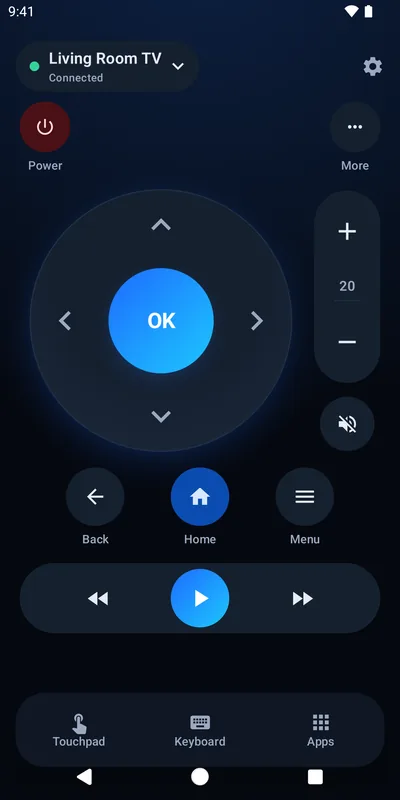
- A round D-pad wheel with a big OK button; hold a direction to keep moving
- Volume, mute, power, Back, Home and Menu
- Play/pause, rewind and fast-forward
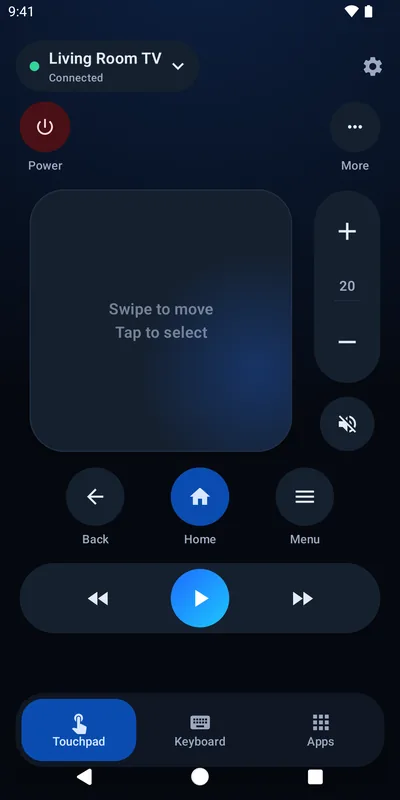
- Touchpad mode: swipe to move, tap to select
- Type on your TV with your phone's keyboard
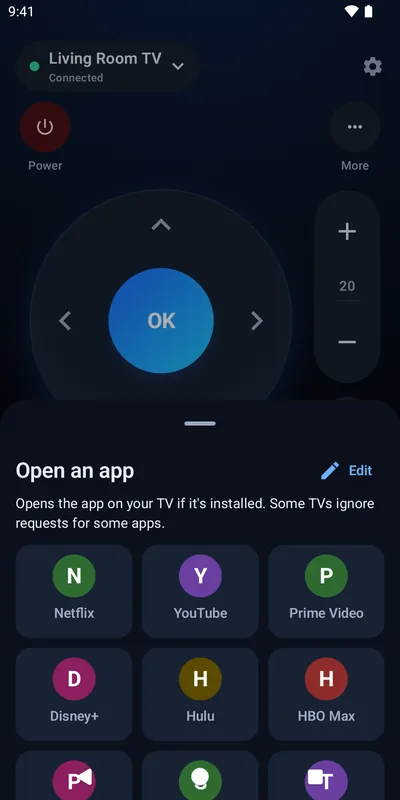
- Open Netflix, YouTube, Prime Video, Disney+ and more in one tap
- Your phone's volume buttons can control the TV
- Home-screen widget and Quick Settings tiles
How it treats you
- Free. No ads, no subscription, no trial, no in-app purchases.
- Private. No account, no tracking. It only talks to your TV on your Wi-Fi.
- Accessible. Every control works with TalkBack; high-contrast mode, four button sizes and a left-handed layout.
- No gesture-only actions. There's always a button.
A look inside
What it looks like
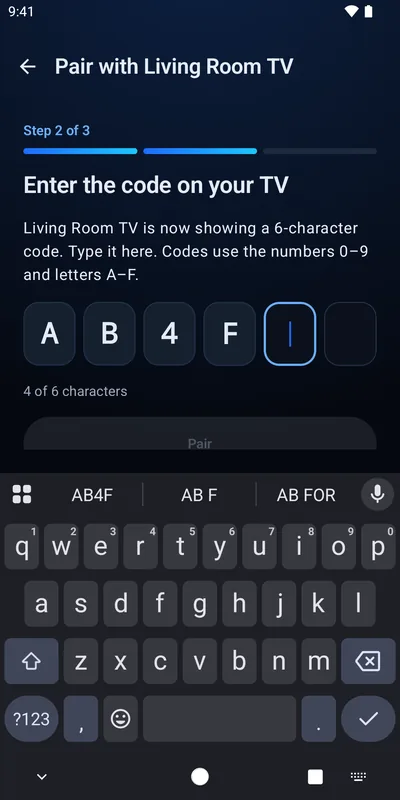
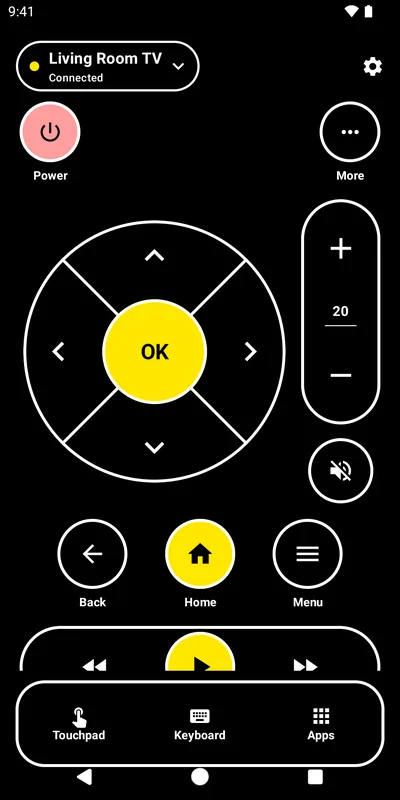
Before you install
Will it work with my TV?
Works with
- TVs and streaming boxes running Android TV or Google TV
- Chromecast with Google TV, onn., Sony, TCL, Hisense, Philips, Sharp and others
- Your phone and TV on the same Wi-Fi network
Doesn't do
- Casting or screen mirroring (it's a remote)
- The original Chromecast (without Google TV), Nest speakers, or TVs with only "Chromecast built-in". No phone remote can control those. Couchpilot tells you if it finds one.
- Some TVs don't open some apps when asked
Couchpilot collects nothing. See the privacy policy for exactly what stays on your phone.